What an IPTV player does, and what it does not
An IPTV player is the app that plays your channels. It shows the channel list, the programme guide (EPG), catch-up and the video itself. It does not include any channels. Those come from your IPTV subscription, which you add to the player with an M3U link, Xtream Codes login or device MAC address.
That split matters when something goes wrong. A frozen picture can come from the service, your connection or the player, so the right IPTV app makes the problem easier to spot and fix. If you are still choosing a provider, our guide to the 7 tests of the best IPTV covers the service side; this guide covers the app on your screen.
Best IPTV player apps compared
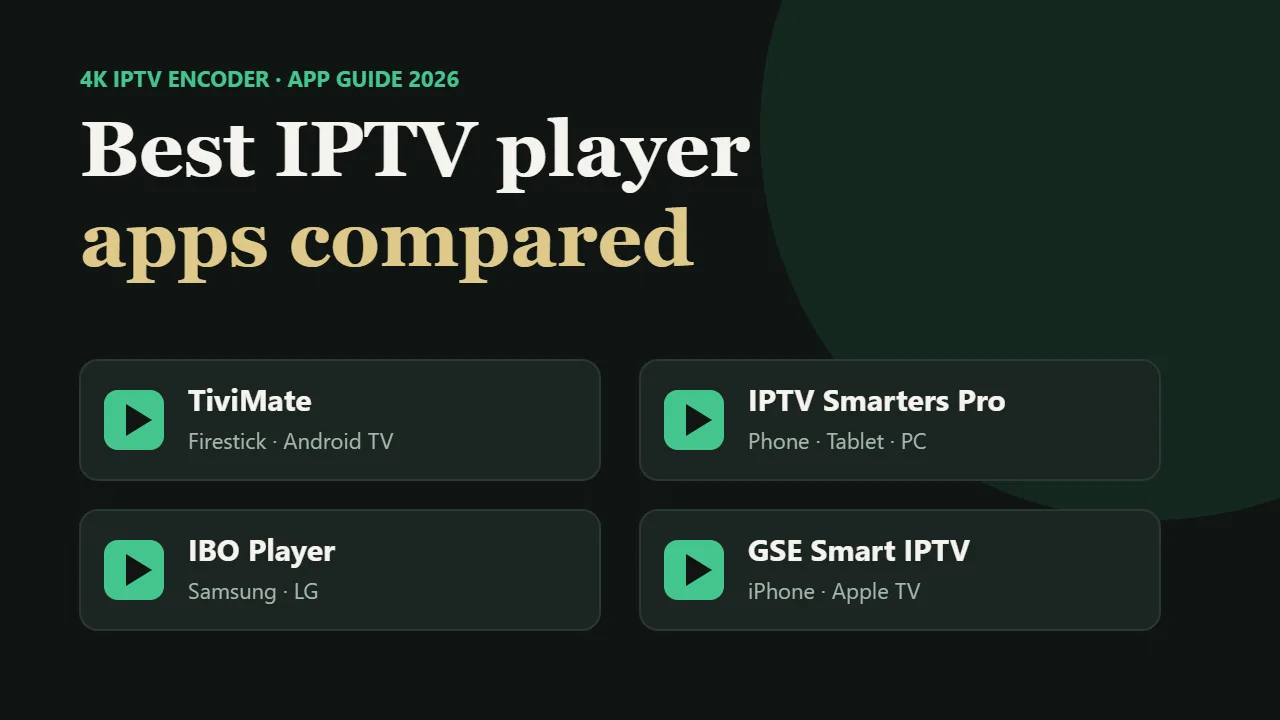
The table compares the seven apps European viewers ask us about most, by the screens they run on and the features that change daily viewing.
| App | Runs on | Price model | EPG and catch-up | Best for |
|---|---|---|---|---|
| TiviMate | Fire TV, Android TV, Google TV | Free basic app, paid Premium | Full TV-guide grid, catch-up with Premium | Firestick and Android TV |
| IPTV Smarters Pro | Android, iPhone and iPad, Windows, Mac, some Smart TVs | Free | Guide and catch-up when the service provides them | Beginners on several devices |
| IBO Player | Samsung, LG, Android, Fire TV | Free trial, then activation fee | Guide, catch-up where supported | Smart TVs without a box |
| Smart IPTV | Samsung, LG, Android TV | Free trial, then one-time activation per TV | Basic guide | Older Samsung and LG TVs |
| GSE Smart IPTV | iPhone, iPad, Apple TV, Android | Free with in-app purchases | Guide, catch-up where supported | Apple devices |
| OTT Navigator | Android phones and TV boxes | Free, optional Premium | Detailed guide, catch-up and recording | Android power users |
| VLC | Windows, Mac, Linux, Android, iOS | Free, open source | No real TV guide | Quick playlist tests on a computer |
Prices and features change with app updates, so check the official store page before you pay for any activation or Premium tier.
The 7 IPTV apps in detail
1. TiviMate: best for Firestick and Android TV
TiviMate looks and works like a cable TV box: a full programme grid, favourites, fast zapping and a clean remote-control layout. The free version plays one playlist; TiviMate Premium adds several playlists, catch-up and recording. It only runs on Android-based TV devices, so it is not an option on iPhone or Samsung TVs.
2. IPTV Smarters Pro: best free IPTV app for beginners
IPTV Smarters Pro is the IPTV app most providers support out of the box. Our IPTV Smarters Pro guide shows where to download it safely and how to log in. It accepts Xtream Codes and M3U logins, separates live TV, films and series, and runs on Android, iPhone, iPad, Windows and Mac. Install it only from an official app store or the developer’s website, because copied versions with bundled adverts circulate online.
3. IBO Player: best for Samsung and LG Smart TVs
IBO Player installs directly on Samsung and LG Smart TVs as well as Android devices. You add your playlist through its website using the MAC address shown on your TV. It starts with a free trial and then needs an activation fee, which covers one device.
4. Smart IPTV: simple and reliable on older TVs
Smart IPTV (SIPTV) has been on Samsung and LG TVs for years and still runs on models that newer apps skip. The interface is basic, but loading a playlist through siptv.eu is straightforward. After the free trial, a one-time activation unlocks the app on that TV.
5. GSE Smart IPTV: best for iPhone and Apple TV
GSE Smart IPTV is the most complete player in the Apple App Store, with playlist management, a programme guide and AirPlay. It also exists on Android, but on Apple devices it has fewer good alternatives, which is why it stays popular there.
6. OTT Navigator: most customisable IPTV app for Android
OTT Navigator suits viewers who like to adjust everything: guide layout, buffer size, catch-up sources and recording. It rewards a little setup time with one of the most detailed TV guides on Android boxes and phones.
7. VLC: free player for quick playlist tests
VLC media player opens an M3U playlist on almost any computer. It has no proper TV guide, so it is not a daily player, but it is the fastest way to check whether a stream works before you blame an app. Our M3U playlist guide shows how to open your M3U URL in VLC.
Best IPTV app by device
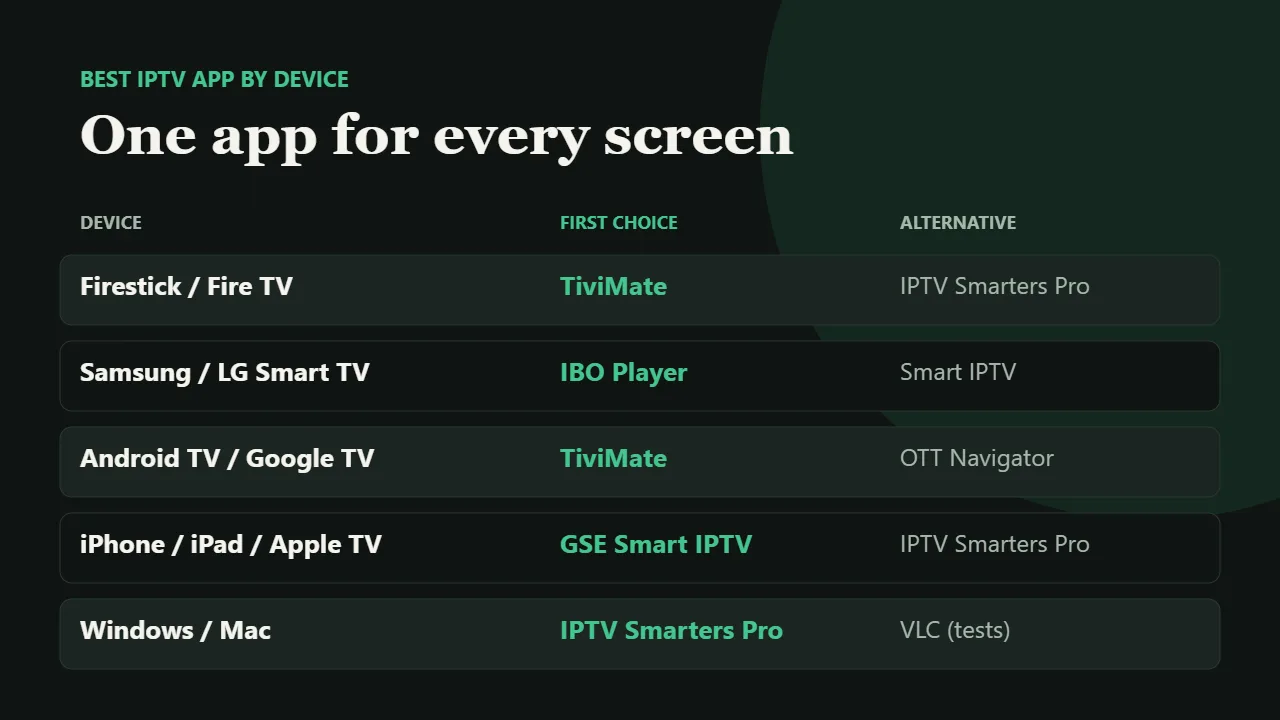
- Amazon Firestick and Fire TV: TiviMate for a TV-box experience, IPTV Smarters Pro if you want the free option. UK viewers will find more local tips in our IPTV UK guide, and Firestick owners should start with our guide to the best IPTV for Firestick.
- Samsung and LG Smart TVs: IBO Player on recent models, Smart IPTV on older ones. Both are in the TV’s own app store.
- Android TV, Google TV and Android boxes: TiviMate or OTT Navigator, both straight from Google Play.
- iPhone, iPad and Apple TV: GSE Smart IPTV, with IPTV Smarters Pro as a second choice.
- Windows and Mac: IPTV Smarters Pro for everyday viewing, VLC for quick tests.
Once you have picked an app, our IPTV setup guide shows how to install it and add your login on each device.
Install the same app on every screen at home. Your favourites and settings work the same way everywhere, and support can solve problems faster when everyone uses one app.
M3U, Xtream Codes or MAC: which login your player needs
Your provider sends one of three login types, and not every app accepts all three.
- Xtream Codes (username, password, server URL): supported by IPTV Smarters Pro, TiviMate, GSE Smart IPTV and OTT Navigator. It loads the guide and categories automatically, so choose it when it is offered.
- M3U link: works in almost every IPTV app, including VLC. The guide (EPG) is often a separate link that you add yourself.
- MAC address: used by IBO Player, Smart IPTV and MAG-style portals. You send the address shown on your TV, and the playlist appears on the screen.
If you are unsure, tell your provider which IPTV app you installed before you order. With 4K IPTV Encoder, we confirm the login type for your device on WhatsApp before you pay.
How to choose the right player app
Three questions settle the choice for most households: which screen you watch on most, whether you need a full TV-guide grid, and whether you are happy to pay a small activation fee for a smoother app. Free apps are fine for testing, while a paid app usually pays for itself in faster zapping and a better guide. If you are still comparing services rather than apps, start with our IPTV Europe guide.
Downloading an IPTV app from a random APK site to save a few euros. Modified apps can carry adverts or malware and can read the login details you type in. Use the official store or the developer’s own website.
Is using an IPTV player legal?
Yes. IPTV players are ordinary media apps, in the same family as VLC, and installing one is legal across Europe. What matters is the content you load into it: choose a service that is clear about its terms, payment and support, and avoid playlists that promise every paid channel for free.
Best IPTV players for Android phones, tablets and TV boxes
Android has the widest choice of any platform, which is why “best IPTV player for Android” is one of the most searched questions. Most of the best IPTV players are in Google Play, so you rarely need to install anything from outside the store. If you still need a device, our guide to the best IPTV box compares Android TV and Google TV boxes.
- TiviMate: the best IPTV app for Android TV, Google TV and Android boxes if you watch a lot of live TV. It is built for the remote and has the clearest TV guide. It does not run on phones.
- IPTV Smarters Pro: the simplest IPTV app for Android phones and tablets, free, with the same layout on TV. Our IPTV Smarters Pro setup guide walks through the login.
- OTT Navigator: a strong free choice on phones and boxes, with a lot of settings for people who like to fine-tune.
- IBO Player Pro: useful when the same family also watches on a smart TV, because one app covers both.
On an Android box, pick TiviMate or OTT Navigator. On a phone or tablet, start with IPTV Smarters Pro. The login details from your provider work in all of them.
IPTV player FAQ
What is the best free IPTV player?
IPTV Smarters Pro is the best free IPTV player for most people because it runs on phones, tablets and computers and supports both Xtream Codes and M3U logins. On Android TV devices, the free version of TiviMate is also a strong choice.
Is TiviMate better than IPTV Smarters Pro?
On Firestick and Android TV, TiviMate usually feels faster and has a better TV guide. IPTV Smarters Pro wins on device range, because it also runs on iPhone, Windows and Mac.
Does an IPTV player include channels?
No. The app only plays the content from your subscription. You need an active IPTV service and its login details to watch anything.
Can I use the same IPTV subscription in different apps?
Usually yes, as long as you stay within the number of connections your plan allows. Every 4K IPTV Encoder plan includes one active connection at a time.
Which IPTV app works on a Samsung Smart TV?
IBO Player and Smart IPTV are both available in the Samsung app store. IBO Player suits recent TVs, while Smart IPTV still runs on many older models.
Match the app to your screen
The best player is the one built for the device you watch on most. Install it, test it with the one-month Discovery plan, and tell us your device so we can send the right login and setup steps.
See IPTV plans