What an IPTV provider is, and who you are really paying
An IPTV provider is the business that sells you access to live TV channels and on-demand films and series delivered over the internet. You pay the provider, receive a login, and watch in a player app on your TV, streaming stick, phone or computer.
Behind many IPTV service providers there is a chain of three players. Knowing who does what tells you who fixes the problem when a channel stops:
| Who | What they do | What it means for you |
|---|---|---|
| IPTV supplier | Runs the servers and sells capacity, often wholesale | You rarely deal with them directly |
| IPTV provider or reseller | Sells you the subscription, sends the login and gives support | The one you pay, and the one who must help you |
| Player app | Plays the stream on your device (Smarters, TiviMate, IBO Player…) | Separate software; it does not include any channels |

Some IPTV TV providers are large resellers with their own support team. Others are one person with a WhatsApp number and no idea where the servers are. That difference matters more than any channel list, which is why the rest of this guide is about checking the provider, not the advert.
8 things the best IPTV providers have in common
There is no official ranking of IPTV providers, and lists of “top 10 IPTV providers” are usually adverts. A better method is to check each provider against the same eight points. The best IPTV provider for you is the one that passes all of them on your own screen.
| What to check | A good provider | How to verify it |
|---|---|---|
| Prices | Total price and length of access in writing, in your currency | Read the pricing page before you message |
| Devices | Clear support for your TV, stick or box and the app to use | Send your device model and see the answer |
| Peak-time stability | Live channels play smoothly between 19:00 and 22:00 | Test on a weekday evening and a weekend |
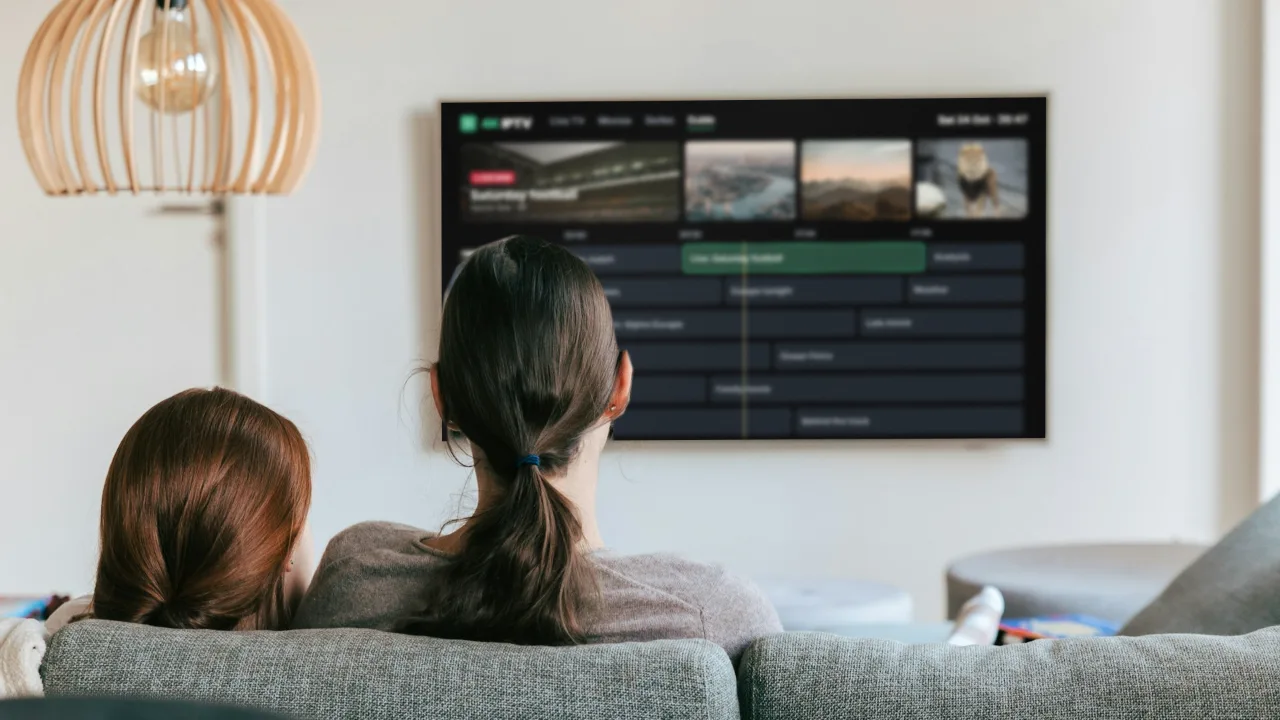
| TV guide (EPG) | Listings for your channels, in your time zone | Open the guide on your first evening |
| Connections | States how many screens can play at the same time | Ask before you pay |
| Terms and refunds | Published terms and a refund rule for technical problems | Look for a terms page on the website |
| Support | A real contact that answers setup questions quickly | Ask one question before ordering |
| Payment | A method that leaves a record, never gift cards | Check the payment options at checkout |
Send every provider on your shortlist the same message: your device, your app and how many screens you need. Compare how fast and how clearly each one answers. It is the cheapest test you will ever run.
Our best IPTV buying guide turns these points into seven practical tests you can run once a service is active.
Red flags: IPTV providers to avoid
Some warning signs appear again and again with IPTV providers that disappear, overload their servers or stop answering after payment. Walk away if you see any of these:
- Payment by gift card, crypto only or a friend’s bank account. You lose every way to dispute the payment.
- A huge channel number and nothing else. “50,000 channels” says nothing about stability, and many of those channels are duplicates or dead links.
- A 12-month plan pushed before any test. A good provider is happy for you to start small.
- No terms, no refund rule, no address for complaints. If nothing is written down, nothing is promised.
- Modified apps or downloads from unknown sites. Use player apps from official stores only.
- Logos of TV channels and streaming brands everywhere. Providers often imply partnerships they do not have.
Choosing an IPTV provider because a friend’s login works well. The same provider can behave very differently on another broadband line, another device and another evening. Test it on your own setup.
Biggest IPTV provider or best IPTV provider?
People often search for the biggest IPTV provider, hoping size means quality. In practice it rarely does. A provider with a very large customer base can be excellent, or it can be the busiest server in Europe on a Saturday night.
What matters is how the provider handles load and support, not how many people use it:
- Load at peak time: the same server that is fast at 15:00 can freeze at 20:00 if it is oversold.
- Support per customer: a big provider with one support account answers slower than a smaller one with a real team.
- Channel quality over channel count: 300 channels you watch, in HD and with a guide, beat 30,000 you never open.
The recommended IPTV service for you is the one that stays stable on your line when everyone else is watching too. That is something only your own test can show.
Best IPTV providers in the UK: what to check
UK viewers search for the best UK IPTV provider more than any other country in Europe. The checks above all apply, with four UK-specific points:
- Firestick first. Most UK homes watch IPTV on an Amazon Firestick, so the provider should give clear Fire TV instructions and know which app works on your model. Our guide to the best IPTV for Firestick covers the models, apps and settings.
- Saturday evening is the real test. UK broadband is at its busiest on weekend evenings. Test then, not on a quiet weekday morning.
- UK channel groups and the guide. Check that UK categories are organised and that the TV guide shows UK time.
- The TV Licence still applies. You need a TV Licence to watch or record programmes as they are broadcast live, whatever the service or device.

Many IPTV suppliers UK buyers find online are resellers based elsewhere in Europe. That is not a problem in itself, but you should know where your provider is, which currency you pay in, and how to reach them. Our IPTV UK guide covers broadband speeds, devices and the other UK checks in detail.
IPTV providers across Europe
Across Europe, IPTV providers serve viewers in many countries with one service. That is convenient, but it adds three things to check if you live outside the UK:
- Your language and country groups: look for categories for your country, for example DE, ES, IT or NL, and ask whether they include the channels you actually watch.
- Time zone in the guide: the TV guide should show your local time, so evening programmes do not appear an hour off.
- Payment in euros: most European IPTV providers price in euros, which suits eurozone viewers and is simple for others to pay by card.

Expats are a big part of IPTV viewers in Europe. If you want channels from your home country, say so before you order and ask the provider to confirm. For a wider view of how IPTV works across the continent, read our IPTV Europe guide.
How to compare IPTV providers in one week
You do not need months to find a good provider. This plan compares your shortlist and leaves you with a clear decision after seven days.
- 1
Shortlist two or three providers
Keep only providers that pass the price, terms and payment checks above. Drop anyone who pushes a yearly plan first.
- 2
Ask the same question to each
Send your device, your app and the number of screens. Note how quickly and clearly each one answers.
- 3
Start one short plan
Take a free trial or a one-month plan with the best answer. Our IPTV free trial guide explains when a paid test month tells you more.
- 4
Log in on your main TV
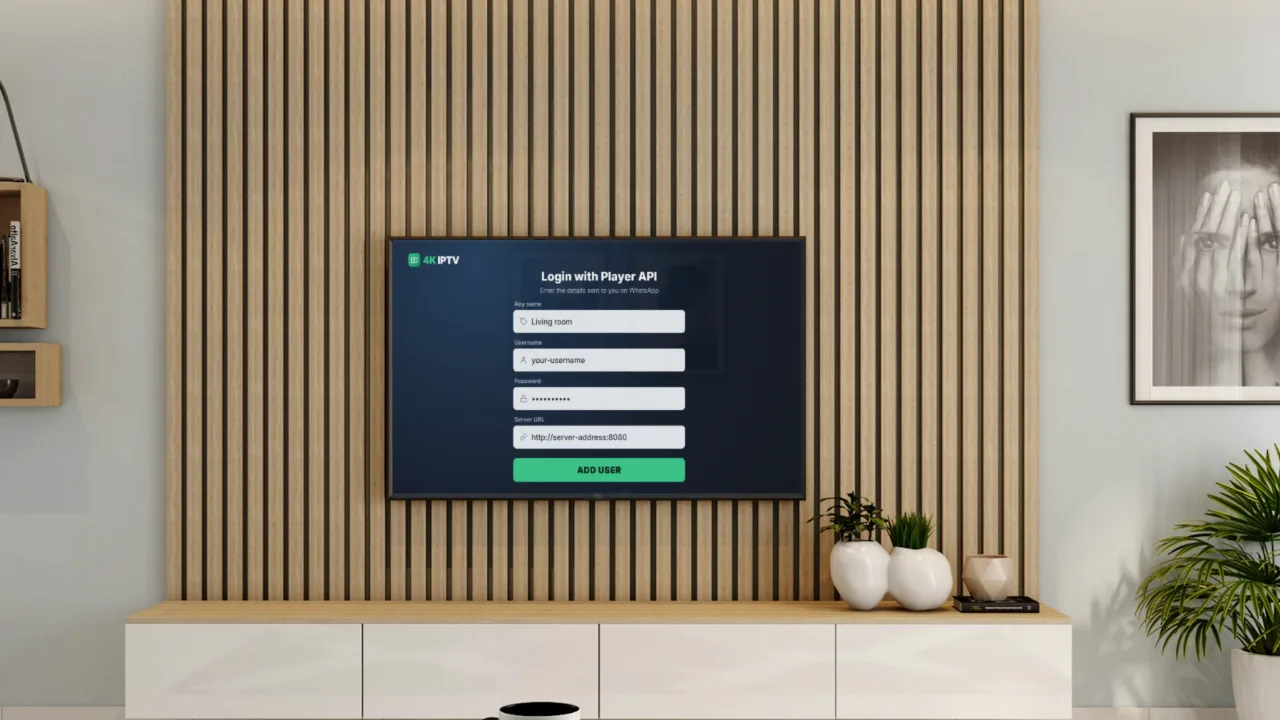
Use the Xtream Codes (Player API) login when your app offers it: it brings the TV guide and the films with it. Our IPTV setup guide has the steps for every device.
- 5
Test the busy moments
Watch a live channel on a weekday evening and on the weekend, open the guide, and ask support one question during the test.
If the first provider passes, a longer plan lowers the price per month. Our IPTV subscription guide explains which length to choose, and the cheap IPTV guide shows the real monthly cost of each option.
How 4K IPTV Encoder works as an IPTV provider
We are an IPTV provider for viewers in the UK and Europe, and we publish the same points we ask you to check:
| Check | 4K IPTV Encoder |
|---|---|
| Prices | From €11.99 for one month to €85.00 for two years (24 + 6 months free), in euros |
| Test before committing | One-month Discovery plan, instead of a 24-hour free trial |
| Activation | Usually about five minutes after payment is confirmed |
| Connections | One active connection per plan |
| Devices | Firestick, Smart TVs, Android TV, Apple devices, computers and MAG boxes |
| Support | WhatsApp, before and after you order |
| Refunds | Refund terms for a persistent technical problem reported within seven days that support cannot fix |
Full rules are in our Terms of Service. Tell us your device on WhatsApp and we will confirm the right setup before you pay anything.
IPTV providers FAQ
Who is the best IPTV provider in the UK?
There is no official ranking. The best UK IPTV provider for you is one with clear prices, published terms, Firestick support and a stable picture on your broadband on a Saturday evening. Test before you commit.
What is the difference between an IPTV provider and an IPTV supplier?
The supplier runs the servers and usually sells capacity wholesale. The provider, or reseller, sells you the subscription, sends the login and gives support.
Is the biggest IPTV provider the best one?
Not necessarily. Size does not guarantee stability or support. What matters is how the service performs on your line at peak time.
Are IPTV providers legal?
IPTV is a delivery technology used by many legal services. A provider is legal when it has the right to distribute the channels it offers, so choose one with published terms and a real contact.
How many IPTV providers should I test?
Shortlist two or three, ask each the same question, then test the one with the best answer for a month. Testing several at once makes it hard to compare fairly.
Can I use one IPTV provider on several TVs?
You can install the app on several devices, but the number of screens that can play at the same time depends on the plan. Ask before you pay.
Check the provider, not the advert
The best IPTV providers in the UK and Europe are easy to recognise once you know what to look for: written prices, clear terms, help for your device and a picture that holds up when everyone is watching. Shortlist, ask, test for a month, then commit. Tell us your device and we will help you start the right way.
See our plans