What IPTV Smarters Pro is, and what it is not
IPTV Smarters Pro is one of the most used IPTV player apps in Europe. Think of it as an empty TV remote: it gives you menus for live TV, films, series, catch-up and a TV guide, but the content inside comes from the subscription you add to it.
That one point clears up most of the confusion around the app:
- The app has no channels. Its developer says it makes software and does not sell streams or content.
- You need a subscription from a provider. The provider sends you login details. Without them, the app opens to an empty login screen.
- If the picture freezes, the app is rarely the cause. Stability depends on the provider’s servers and on your broadband, not on the player.
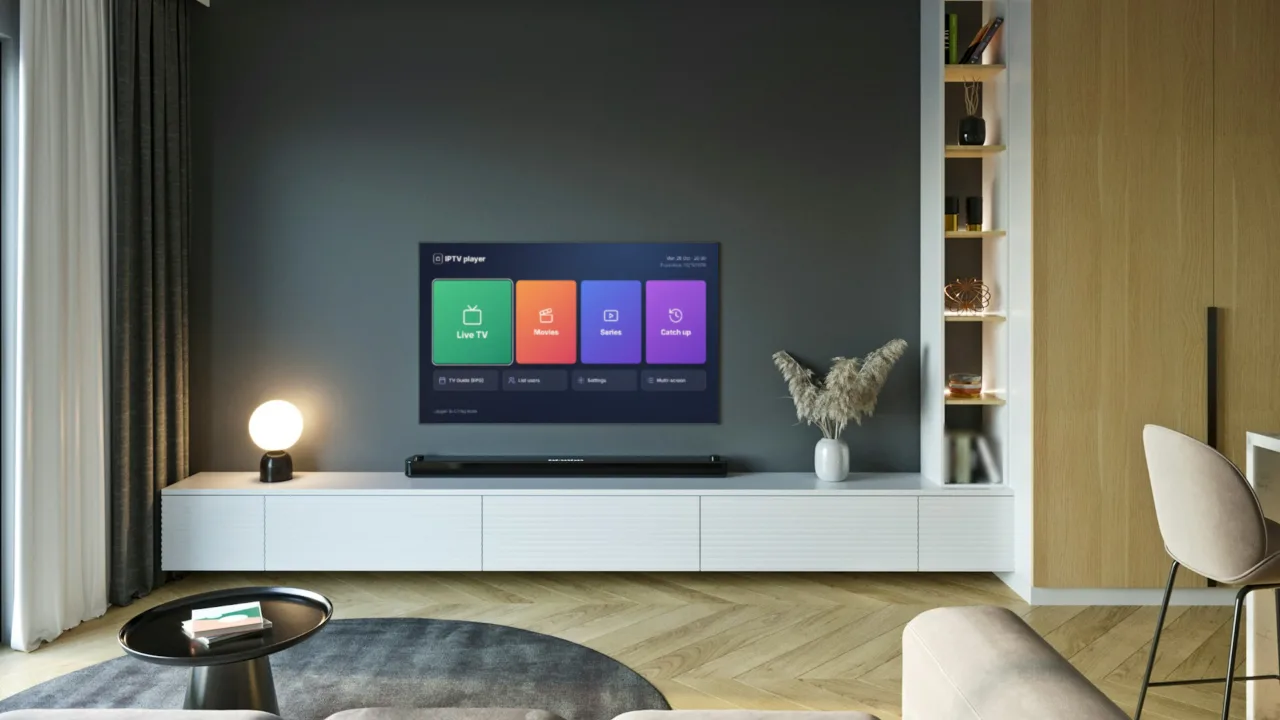
You will also see a lighter version called IPTV Smarters Lite (or Smarters Player Lite) in some stores. It does the same basic job with fewer extras, and it is a sensible choice on older phones and small sticks.
Where to download IPTV Smarters Pro safely in 2026
Where you get the app matters more than which version you choose. Here is where to look on each device:
| Device | Where to get it | Notes |
|---|---|---|
| Android phone, tablet, Android TV, Google TV | Google Play, if listed in your country | Otherwise the official website |
| iPhone, iPad, Apple TV | App Store, if listed in your country | Availability changes by region |
| Amazon Firestick (Fire OS) | Official website, with the Downloader app | Not in the Amazon Appstore |
| Fire TV Stick 4K Select (Vega OS) | Not possible | Vega OS only installs Appstore apps |
| Windows and Mac | Official website | Desktop version |
| Samsung and LG smart TVs | Usually not available | Use another player from the TV’s own store |
The official website is iptvsmarters.com. In some countries the app has been taken out of Google Play after legal action by sports rights holders, as happened in Spain after a court order requested by LaLiga, reported by Dimitrology. If you cannot find it in your store, that is usually the reason.
Searching for an “IPTV Smarters Pro APK” and installing the first file that comes up. Copies on download sites are often old, full of adverts, or modified. Use the store or the developer’s own website, and nothing else.
How to set up IPTV Smarters Pro, step by step
The steps are the same on a TV, a phone and a computer. Only the keyboard changes. Have the message from your provider open before you start.
- 1
Install and open the app
Accept the terms on first launch. On a TV, the app may ask which layout to use: choose the TV layout so the menus work with the remote.
- 2
Choose “Login with Xtream Codes API”
This is the option to pick when your provider sends a username, password and server URL. It brings the TV guide and the film library in automatically.
- 3
Fill in the four fields
Any name is a label for you, such as “Living room”. Then type the username, password and URL exactly as sent, including http:// and the port number.
- 4
Press “Add user” and wait
The first load downloads the channel list, the guide and the film catalogue. On a Firestick or an older phone this can take a minute or two. Let it finish.
- 5
Load the TV guide
Open Install EPG or the TV guide section once. After that, each channel shows what is on now and next.
- 6
Test at a busy time
Watch a live channel in the evening, open a film and skip forward. If anything is wrong, contact your provider while you are still testing.
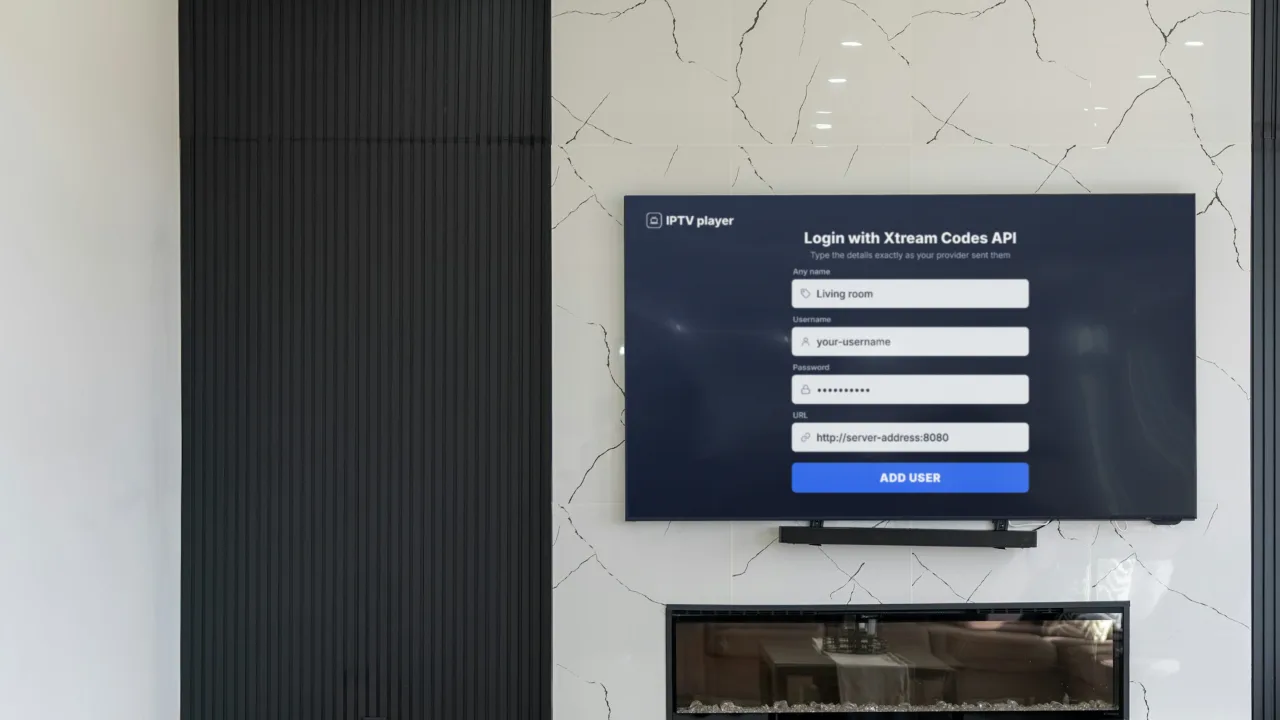
Nearly every “invalid login” comes from one character: a space copied after the password, a capital letter in the username, a missing http://, or a slash after the port. Type the details by hand rather than pasting them, and check the URL twice.
Xtream Codes API or M3U playlist: which login to choose?
IPTV Smarters Pro offers more than one way to add a subscription. The choice affects how well the app works day to day. MAG boxes use a third method, a portal linked to the box’s MAC address, explained in our MAG box IPTV guide. Everything about the M3U link itself is in our M3U playlist guide.
| Login | What you type | TV guide and films | Use it when |
|---|---|---|---|
| Xtream Codes API | Name, username, password, URL | Loaded automatically | Your provider sends a username and password (best choice) |
| Load playlist or file/URL | One long M3U link | Guide often needs a separate EPG link | Your provider only sends an M3U link |
| Single stream | One stream address | None | Testing one channel only |

If you are unsure which one you received, our IPTV setup guide explains Xtream Codes, M3U and MAC logins in plain terms.
IPTV Smarters Pro on Firestick, phones and computers
Amazon Firestick
IPTV Smarters Pro is not in the Amazon Appstore. On a Fire OS stick, install Downloader from the Appstore, allow it in Developer options › Install unknown apps, then open the address published on the developer’s website. You will see “download codes” shared online for this step: they are shortcuts to third-party servers, so typing the official address yourself is safer. The newer Fire TV Stick 4K Select runs Vega OS and cannot install the app at all. Our guide to the best IPTV for Firestick walks through each model.
Android and iPhone
Install from Google Play or the App Store where it is listed. The phone layout is the same as on TV, with a touch keyboard that makes the login much quicker. Many people log in on the phone first to check that the details work, then repeat on the TV.
Windows and Mac
The desktop version comes from the official website. It is handy for checking a login on a big screen or watching while you work. On a laptop, plug in a network cable if you can: Wi-Fi in a busy flat is the most common cause of stutter on a computer.

Samsung and LG smart TVs
IPTV Smarters Pro is usually not available in the Samsung or LG stores. Use a player that is, such as IBO Player Pro, or plug a stick into the TV. Our comparison of the best IPTV player apps lists the right choice for each TV brand.
Does IPTV Smarters Pro need a subscription?
Yes, and people searching for an “IPTV Smarters Pro subscription” are often looking for two different things:
- The app itself: free to download and use. Some versions offer paid extras, but the basic player costs nothing.
- The content: comes from an IPTV subscription you buy from a provider. That is what you are paying for each month or year.
Be careful with sellers who call their service “the IPTV Smarters subscription”. The app’s developer does not sell channels, so the name is being used to look official. Judge the provider on its own terms, prices and support. Our guide to the best IPTV providers in the UK and Europe lists the checks that matter, and the IPTV subscription guide helps you choose a length.
IPTV Smarters Pro not working? Quick fixes
Most problems have a simple cause. Work down this list before reinstalling anything:
| Problem | Most likely cause | Fix |
|---|---|---|
| “Invalid username or password” | A typing mistake or an expired subscription | Retype by hand; check the expiry date with your provider |
| Channels load but will not play | Wrong URL or port, or a server issue | Check the URL; ask the provider whether the server changed |
| TV guide is empty | The EPG has not been loaded | Run “Install EPG” once, then wait a few minutes |
| Buffering in the evening | Weak Wi-Fi or a busy server | Try 5 GHz or a cable; if it persists, talk to the provider |
| App closes on its own | Low memory or an old version | Clear the cache, restart the device, update the app |
For deeper network checks and device-specific fixes, see the troubleshooting section of our IPTV setup guide.
Good alternatives to IPTV Smarters Pro
IPTV Smarters Pro is a fine first player, but it is not the only one. If it is missing from your store or feels slow, these are worth a look:
- TiviMate: the favourite of people who live in the TV guide. Android TV and Fire OS only, with a paid Premium for most features.
- IBO Player Pro: available on many smart TVs as well as sticks and phones, with a one-time activation after a trial.
- GSE Smart IPTV: a solid choice on iPhone, iPad and Apple TV.
Your login works in any of them: the same Xtream Codes details go into each player.
Using IPTV Smarters Pro with 4K IPTV Encoder
Our subscriptions work in IPTV Smarters Pro with the Xtream Codes API login. When your access is ready, you receive the name, username, password and URL on WhatsApp, with steps for your device.
| Check | 4K IPTV Encoder |
|---|---|
| Login type | Xtream Codes API, or M3U if your app needs it |
| Test first | One-month Discovery plan at €11.99, instead of a 24-hour free trial |
| Activation | Usually about five minutes after payment is confirmed |
| Connections | One active connection per plan |
| Setup help | On WhatsApp, for your exact device |
We are not affiliated with IPTV Smarters. We simply support the app because so many of our customers already use it.
IPTV Smarters Pro FAQ
Is IPTV Smarters Pro free?
Yes. The app is free to download and use. You pay only for the IPTV subscription you add to it, from a provider of your choice.
Is IPTV Smarters Pro legal?
The app is a legal media player. What matters is the content you play in it: a subscription is legal when the provider has the right to distribute its channels.
Why can’t I find IPTV Smarters Pro in my app store?
It has been removed from some stores in some countries after legal action by rights holders. Use the developer’s official website, iptvsmarters.com, rather than a third-party download site.
Can I install IPTV Smarters Pro on a Firestick?
Yes on Fire OS sticks, using Downloader and the official website address. No on the Fire TV Stick 4K Select, which runs Vega OS and only installs Appstore apps.
What is the difference between IPTV Smarters Pro and IPTV Smarters Lite?
Lite is a lighter version with fewer extras. It suits older phones and small sticks; the login works the same way.
Do I need a VPN for IPTV Smarters Pro?
The app works without one. Some people use a VPN for privacy or when their broadband provider slows streaming, but a VPN can also slow the stream down. Test with and without.
Right app, right login, right source
IPTV Smarters Pro is easy once you know three things: it is only a player, the Xtream Codes API login is the one to use, and the app should only come from your store or the official website. Get those right and setup takes five minutes on any screen. For the wider picture, our IPTV Europe guide is the place to start. Tell us your device and we will send you the steps.
See our plans