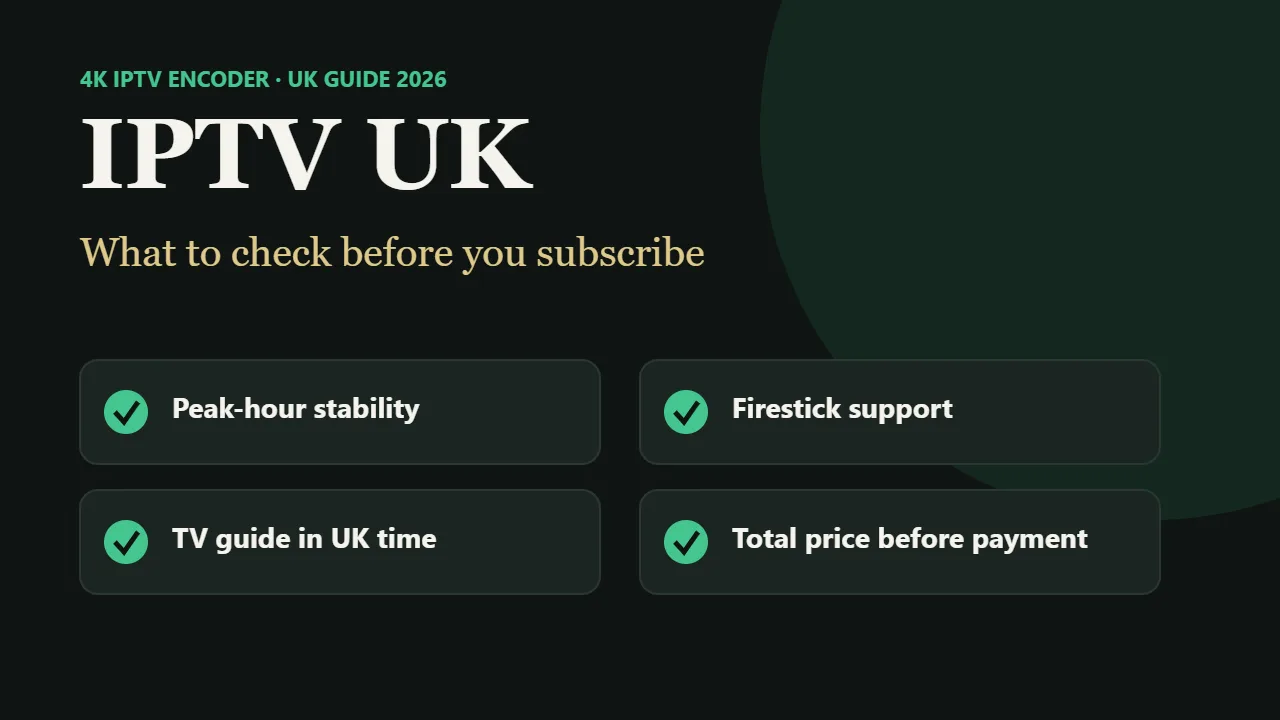
What UK viewers need from IPTV
Most people searching for IPTV UK want the same three things: live sport that does not freeze on a Saturday afternoon, a TV guide that matches UK broadcast times, and an app that works on the Amazon Firestick under the TV. Films, series and catch-up come next. Whether you search for British IPTV, United Kingdom IPTV or simply a UK IPTV service, the checks in this guide are the same.
That shapes how you should judge an IPTV UK service. A long channel list says little; how the service behaves on your screen, at your busiest viewing time, says almost everything. For the wider picture across the continent, see our IPTV Europe guide.

IPTV UK checklist: 7 things to confirm
| Check | Why it matters in the UK | How to confirm it |
|---|---|---|
| Peak-hour stability | Weekend sport and evening TV put the most load on servers | Watch for 30 minutes between 19:00 and 22:00 UK time |
| Firestick support | Fire TV is one of the most common streaming devices in UK homes | Ask which app and login type to use before you order |
| TV guide in UK time | A guide set to another time zone breaks catch-up and reminders | Compare tonight’s listings with a programme you know |
| Catch-up window | Lets you rewatch a match or episode you missed | Play yesterday’s programme and skip forward |
| Connections per plan | Several screens in one house can exceed the limit | Read the plan; ours include one active connection |
| Total price before payment | Hidden renewals and add-ons are a common complaint | Confirm the full amount and the duration in writing |
| Support response | Problems usually happen at kick-off, not office hours | Send a specific question and time the answer |
Setting up IPTV UK on a Firestick
The Firestick is the most popular way to watch IPTV in the UK because it plugs into any TV and runs the best apps. The setup takes about ten minutes. Using a Smart TV, Android box or iPhone instead? Our IPTV setup guide covers every device.
- 1
Update your Firestick
Open Settings, then My Fire TV, and install any system update so the app store and video codecs are current.
- 2
Install an IPTV player
Choose the app your provider supports. Our comparison of the best IPTV player apps explains which ones work best on Fire TV.
- 3
Add your login
Enter the Xtream Codes details or M3U link your provider sends. Type carefully: one wrong character is the most common reason a login fails.
- 4
Load the TV guide
Let the guide update fully, then check that tonight’s listings show the correct UK times.
- 5
Test at peak time
Watch a live channel during a busy evening before you rely on the service for an important match.
What broadband speed you need
Plan on at least 10 Mbps of steady speed for HD and around 25 Mbps for 4K on one screen. The speed your broadband package promises matters less than what reaches your TV in the evening, when neighbours are online too. Our 4K IPTV guide explains what else, besides speed, you need for a real 4K picture.
- Run a test on the TV itself with a tool such as Speedtest, not on your phone next to the router.
- Use an Ethernet adapter for the Firestick if the router is in another room; it removes most buffering caused by Wi-Fi.
- Pause large downloads and game updates while you watch live sport.
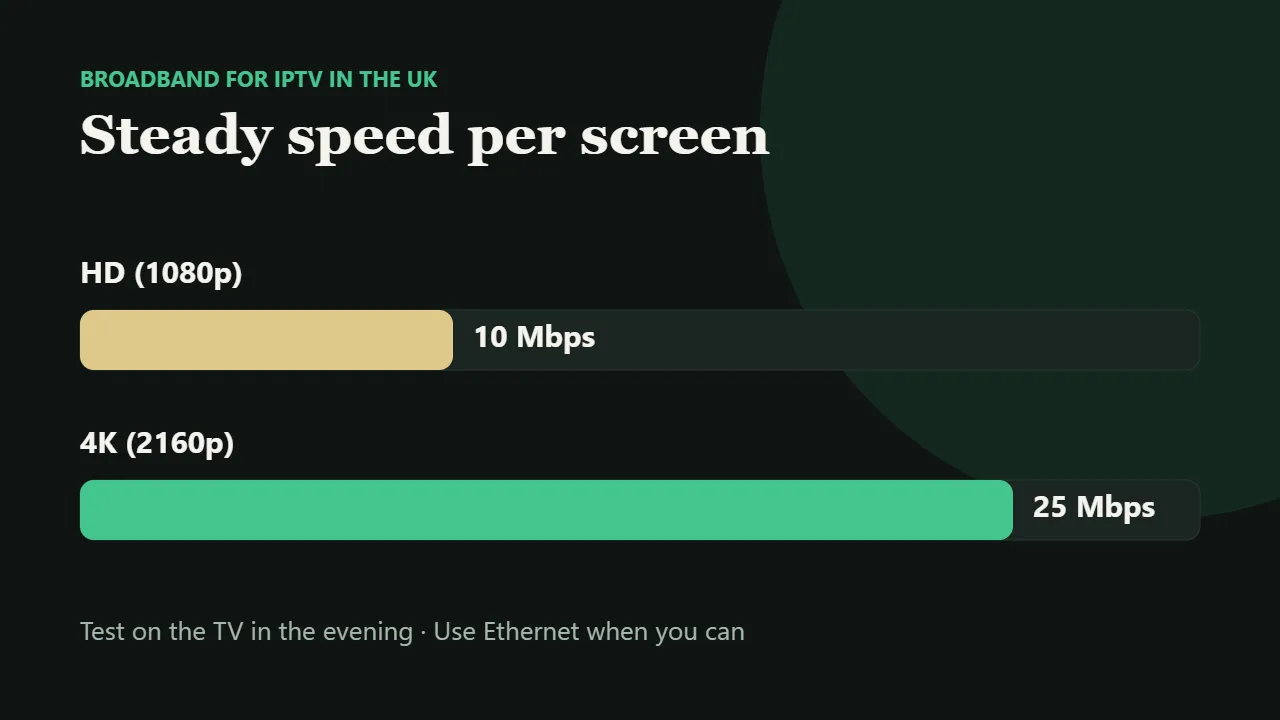
If the picture is perfect at lunchtime but freezes at 20:00, the problem is usually network congestion rather than the app. Test once at each time to know which side to fix.
Live sport and several rooms
Saturday and Sunday afternoons are the real test for any IPTV UK service, because many viewers start the same live channels at the same moment. Look for a service that recovers quickly when a stream stalls, and keep the app’s buffer at its default setting unless support advises otherwise.
If two people want to watch in different rooms at the same time, check the connection limit first. A plan with one active connection plays on one screen at a time; installing the app on a second TV is fine, but watching on both at once is not. Ask before you order rather than discovering the limit at kick-off.
How to choose the best IPTV UK provider
There is no single best IPTV UK service for every home. The best UK IPTV provider for you is the one that passes the checklist above on your own broadband, at your busiest viewing time, on the screens you actually use. Our guide to the best IPTV providers in the UK and Europe adds the red flags to avoid and a one-week test plan. When you compare IPTV services in the UK, weigh these points in this order:
- Stability first: a smooth picture between 19:00 and 22:00 and during weekend sport matters more than any channel count.
- A real business: published terms, refund rules and a contact you can reach.
- Your device and app: clear instructions for Firestick, Smart TV or Android box before you pay.
- Honest limits: the number of screens that can play at once and the total price, stated in writing.
- The details: a TV guide in UK time and catch-up that actually plays.
Our best IPTV buying guide turns these points into seven tests you can run on any provider.
IPTV trials and test months
An IPTV trial is the safest way to judge an IPTV UK service, but a 24-hour free trial rarely includes a busy weekend. A paid test month gives you real evenings, real sport and real support questions. Our IPTV free trial guide explains how to test either one properly.
That is why 4K IPTV Encoder offers the one-month Discovery plan at €11.99 instead of a free trial. If a persistent technical problem reported within 7 days cannot be solved by support, refund terms apply, as set out in our Terms of Service.
Paying for IPTV in euros from the UK
Our plans are priced in euros, from €11.99 for one month to €85 for 30 months of access. When you pay with a UK card, your bank converts the amount to pounds and may add a small foreign-transaction fee, so check your card’s terms if that matters to you. The total in euros is confirmed with you before any payment, and there are no automatic renewals unless clearly agreed.
For a full breakdown of what each duration includes, see the plans and prices, or read our best IPTV buying guide to compare value across plan lengths. For tips on paying less without the risks, see our cheap IPTV guide. To choose the right plan length, read our IPTV subscription guide.
IPTV UK rules every viewer should know
Two UK rules apply whatever app or device you use:
- TV Licence: you need a TV Licence to watch or record programmes as they are shown live on any channel, on any device, including over the internet.
- Copyright: UK law protects broadcasts, and sellers of unlicensed IPTV services have been prosecuted and jailed. Choose a provider that is open about its business, its terms and how you pay.
Offers that promise every premium channel for a few pounds a year, ask for payment by gift card to a stranger, or have no terms, contact page or support. Price alone is never proof of a reliable service.
IPTV UK FAQ
What is the best IPTV UK app?
On a Firestick, TiviMate and IPTV Smarters Pro are the most common choices. On Samsung and LG Smart TVs, IBO Player and Smart IPTV work without an extra box.
Do I need a TV Licence for IPTV UK viewing?
You need a TV Licence if you watch or record programmes live as they are broadcast, on any channel and any device, including through an IPTV app.
What internet speed do I need for IPTV UK streaming?
Around 10 Mbps of steady speed per screen is enough for HD, and about 25 Mbps for 4K. Test the speed on the TV during the evening, not on your phone.
Can I try IPTV before committing to a long plan?
Yes. Start with a one-month plan, test it at peak hours and on your own devices, then choose a longer plan only if it meets your standards.
Which is the best IPTV UK provider?
The one that stays stable on your broadband at peak time, supports your device, publishes clear terms and answers support questions quickly. Test it for a month before you choose a longer plan.
Can I pay in pounds?
Our prices are in euros. A UK card pays the euro amount, and your bank converts it to pounds at its own rate.
Test it on your own screen first
The right IPTV UK service survives a busy Saturday on your broadband and your Firestick. Start with one month, run the checklist above, and message us with your device so we can send the right setup steps.
Compare IPTV plans